08:05Capture

The inspection opens the record.
One tap starts it. From here, everything captured lands in this project, this inspection, with the engineer's name on it.
Site inspections, drawings and project records in one Master Project File, with an AI assistant that cites its sources.
Tonight the write-up will be rebuilt from a camera roll. Tomorrow it does not have to be. One morning on a Dublin site shows how.
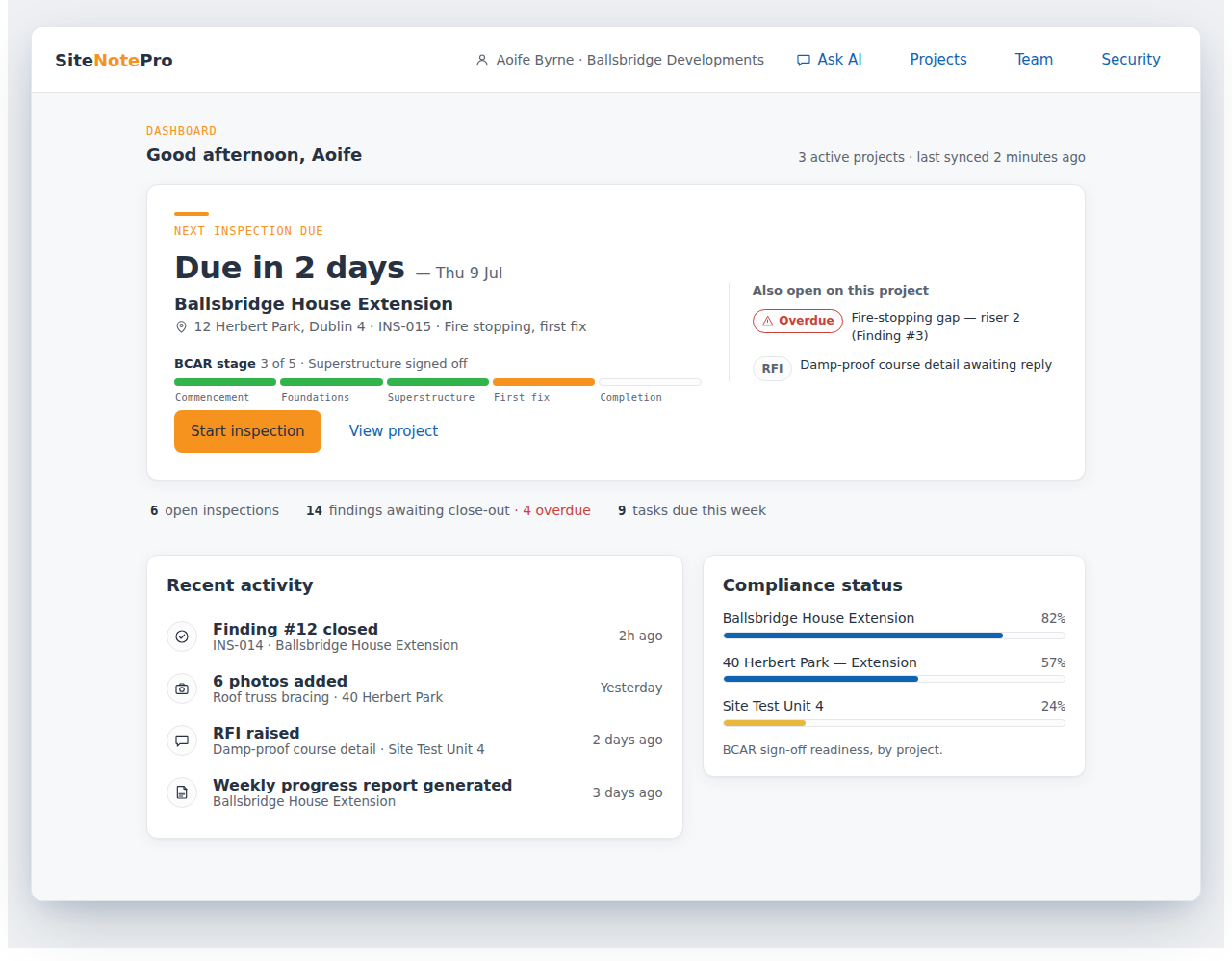
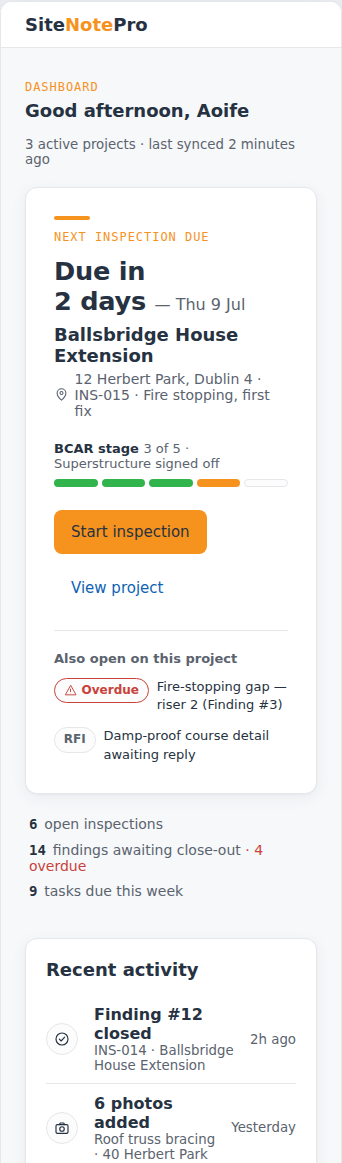
About the screens in this pack. They are design prototypes of the proposed product, shown with example project data. They set the layout and behaviour we are building to. Final screens may differ in detail.
At a glance
SiteNotePro captures photos, voice notes, drawing markups, tasks, RFIs and compliance records into one chronological Master Project File. An AI Inspection Assistant reads across that record and your private knowledge base, and cites every answer. You review; you issue; AI never certifies.
Camera roll, spreadsheet, WhatsApp, PDF drawings, the compliance folder and what was only in someone's head collapse into one record per project. Nothing scattered, nothing retyped.
The assistant answers from your own records and your private knowledge base, not the open internet. Every answer cites the inspection, finding or document it came from.
Works with no signal. Voice notes transcribed. Photos GPS-stamped. Pins dropped straight onto the drawing. Easy to do one-handed, even on a wet screen.
Daily logs, issue reports, stage reports and the full project export are drafted from what was already captured on site, then reviewed by you.
AI output is a suggestion, clearly marked, never a decision. Nothing is issued, sent or certified without your review.
BCAR stage inspections, the ancillary certificate register, planning compliance and taking-in-charge workflows, for the projects that need them.
The problem
Tonight, somewhere in Ireland, an engineer will open a camera roll and try to remember which riser, which visit, which finding. The notes are in WhatsApp. The markup is on a printout in the van. The stage forms live in a folder only one person understands. The report will be written from memory after dinner.
That is not a process. That is risk on a loop.
Inspections happen on live sites with no signal, on shared phones, one-handed on a wet screen. Any tool that forgets that gets abandoned by week two.
One inspection, start to finish
One morning on a house extension in Dublin 4. Every screen is the proposed product. Nothing here is typed up at the desk afterwards, and that is the point.
On site · 08:05 to 09:10
One tap starts it. From here, everything captured lands in this project, this inspection, with the engineer's name on it.
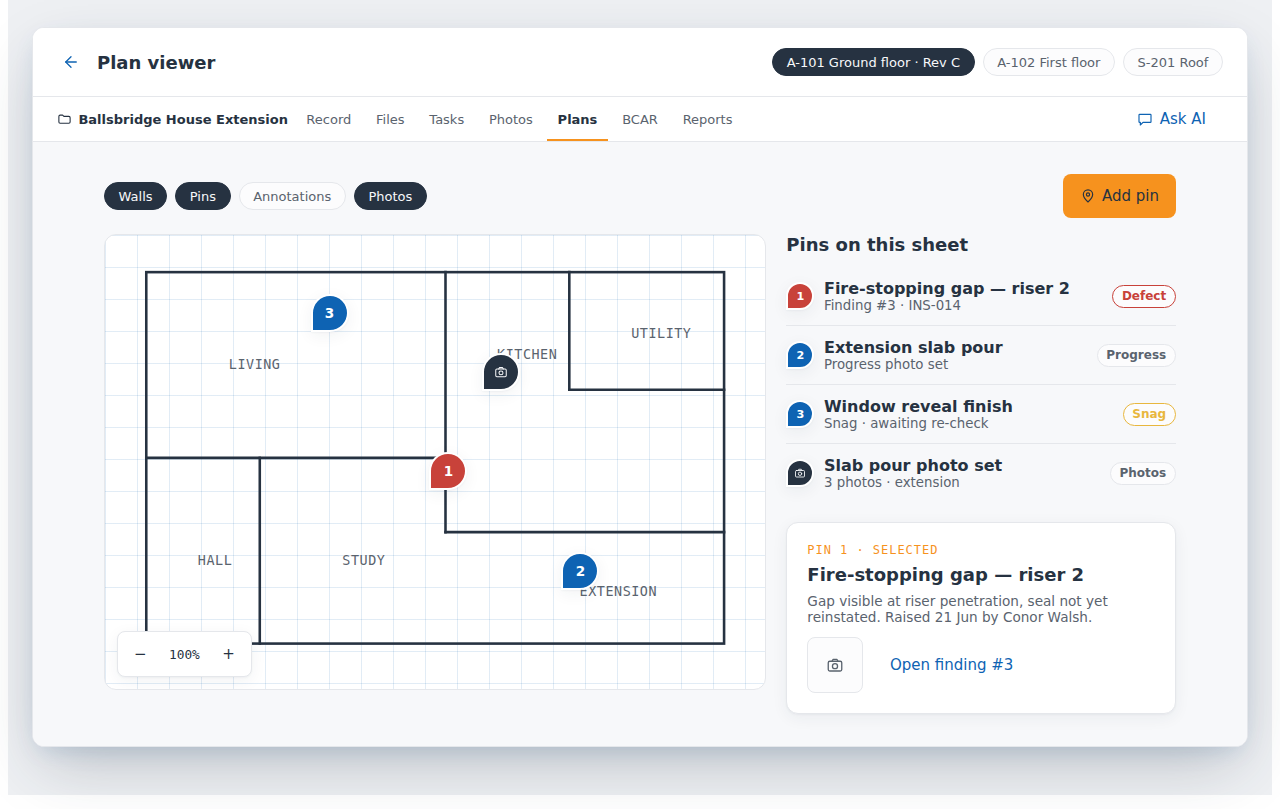
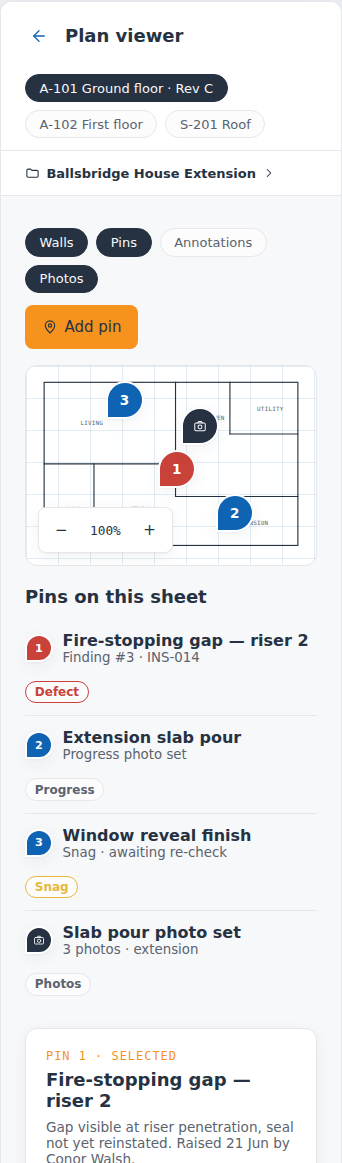
No signal in the riser. The photos are taken anyway, stamped with time and location, and dropped as Pin 1 on Plan A-101, Rev C. They upload when coverage returns.
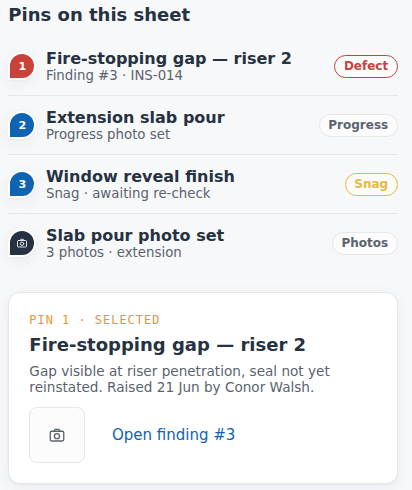
Tap one and its finding, photos and task open beside the plan. A pin on Rev C is never confused with Rev B.
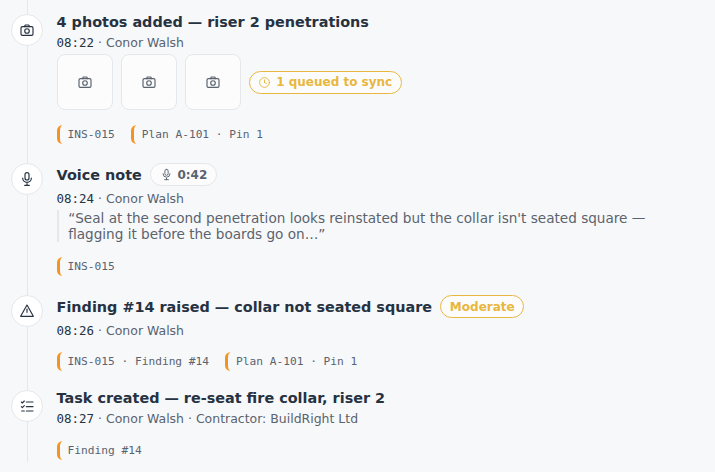
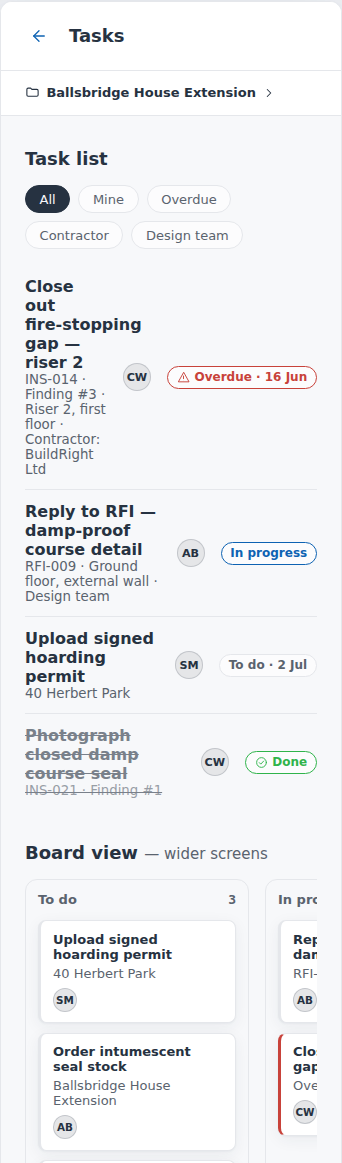
Hands full on the scaffold, so it is said out loud, not typed. By 08:27 the observation is a finding and the finding is somebody's job.
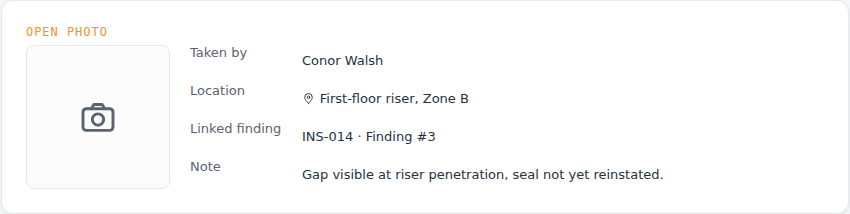
A photo without a project, a location and a reason does not exist here. The camera-roll problem goes away because the camera roll is never the record.
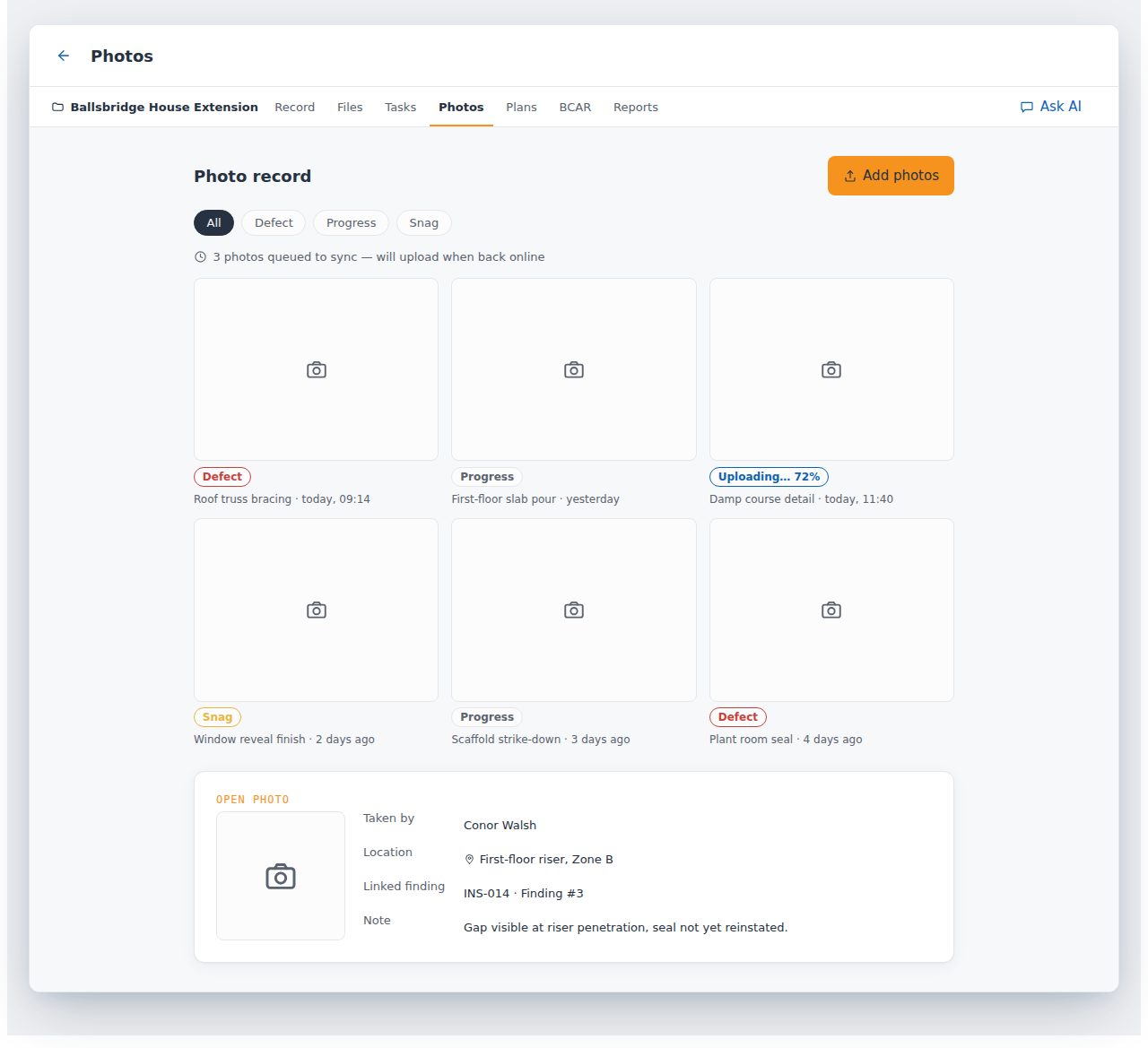
The slab pour and the scaffold strike-down are filed as Progress, with the same time, location and inspector stamps as a defect photo. When someone asks later whether the pour was seen before it was covered, the record shows it was.
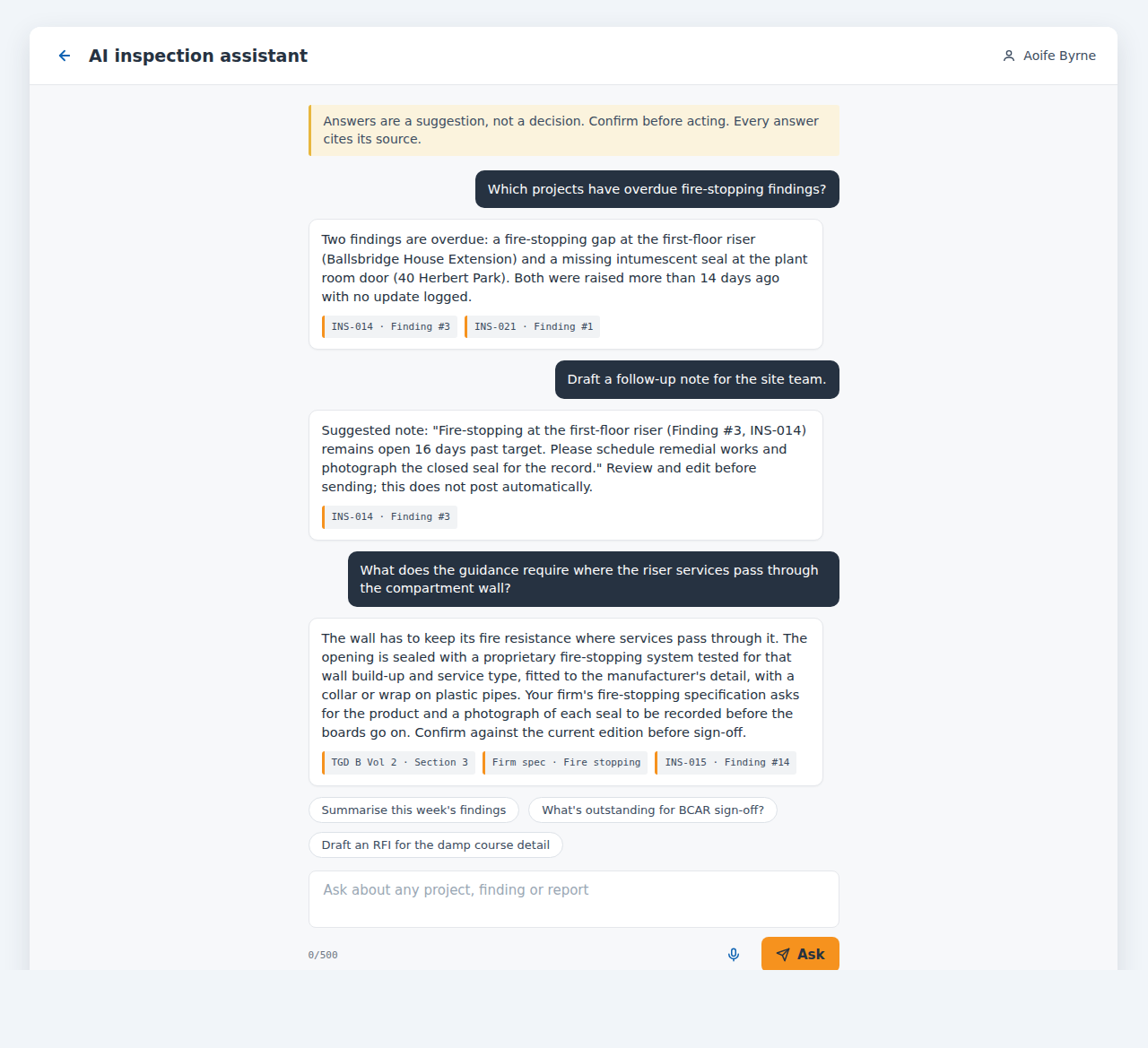
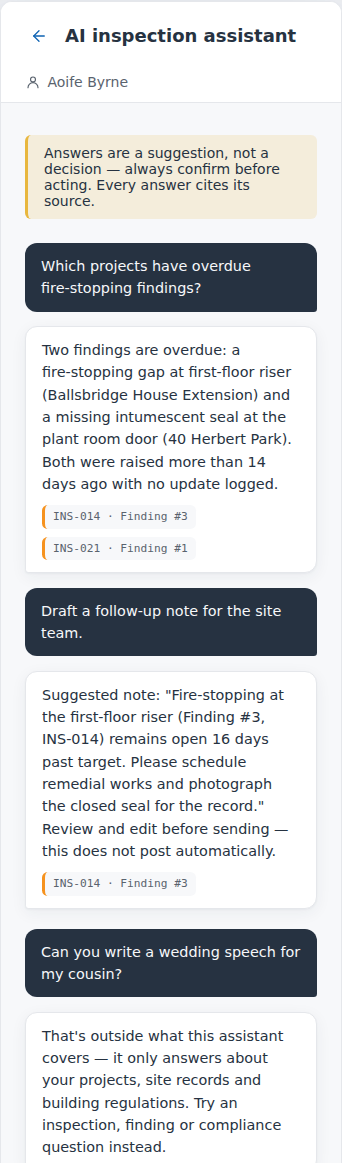
The assistant reads this project's records and the firm's own knowledge base, the uploaded specifications and the Irish regulation packs. Every answer carries the source chip it came from. Ask what the guidance requires where the riser services pass through the compartment wall and it answers from Technical Guidance Document B and the firm's own fire-stopping specification, citing both. It drafts the follow-up note; it never sends it.
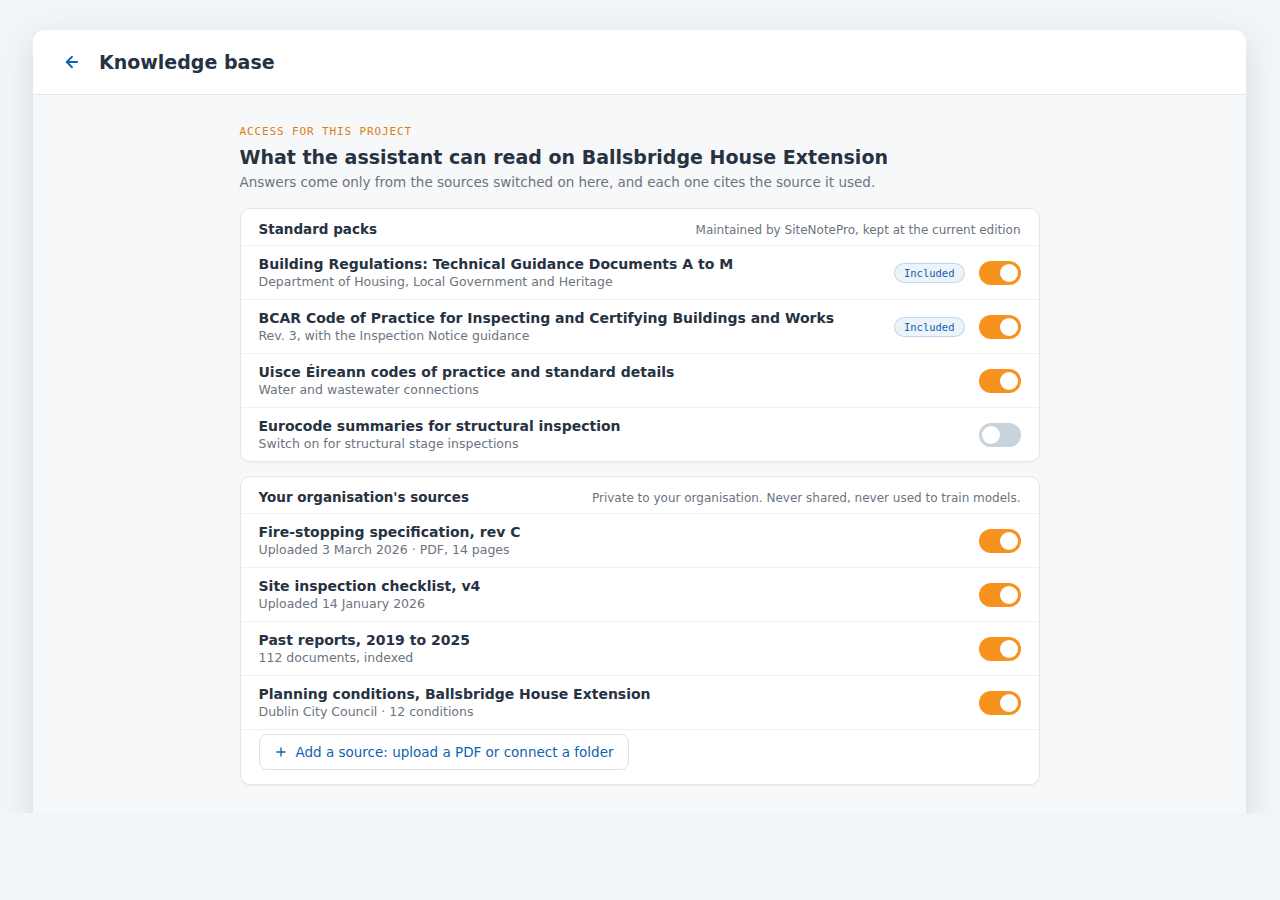
The standard packs come switched on: the Building Regulations Technical Guidance Documents, the BCAR Code of Practice and the Uisce Éireann codes of practice. Your own specifications, checklists, past reports and planning conditions sit underneath, private to your organisation, and each one can be switched on or off for a project.
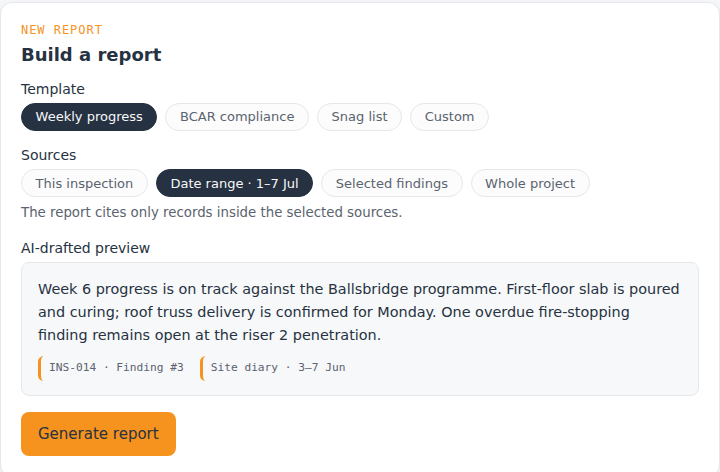
The draft cites only records inside the sources chosen, and it is reviewed and edited before it becomes a watermarked PDF. Nothing is written from memory, because nothing has to be.
The report is finished before you leave site.
The days after
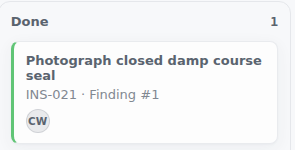
The finding stays open until the work is done and the evidence is attached. The close-out photo lands in the same record, under the same pin.
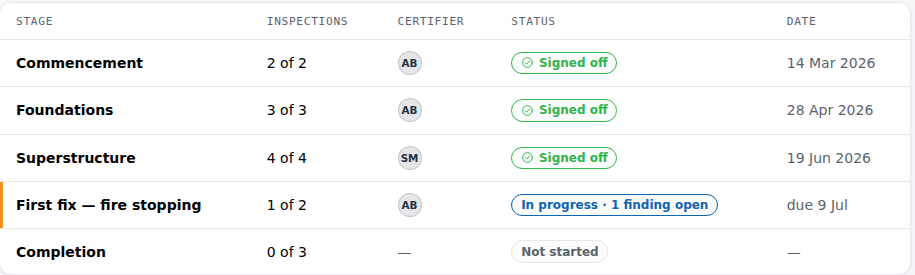
A stage cannot be signed off while it has an open finding. When the last one closes, the inspection plan, the stage record and the certificates already agree with each other.
Everything logged, in order
Every entry carries who, when, where on the drawing, and links to the entries around it. The report is one way of presenting that chain. The chain is the product: the same morning as the Dublin 4 walkthrough, still standing when someone asks years later.
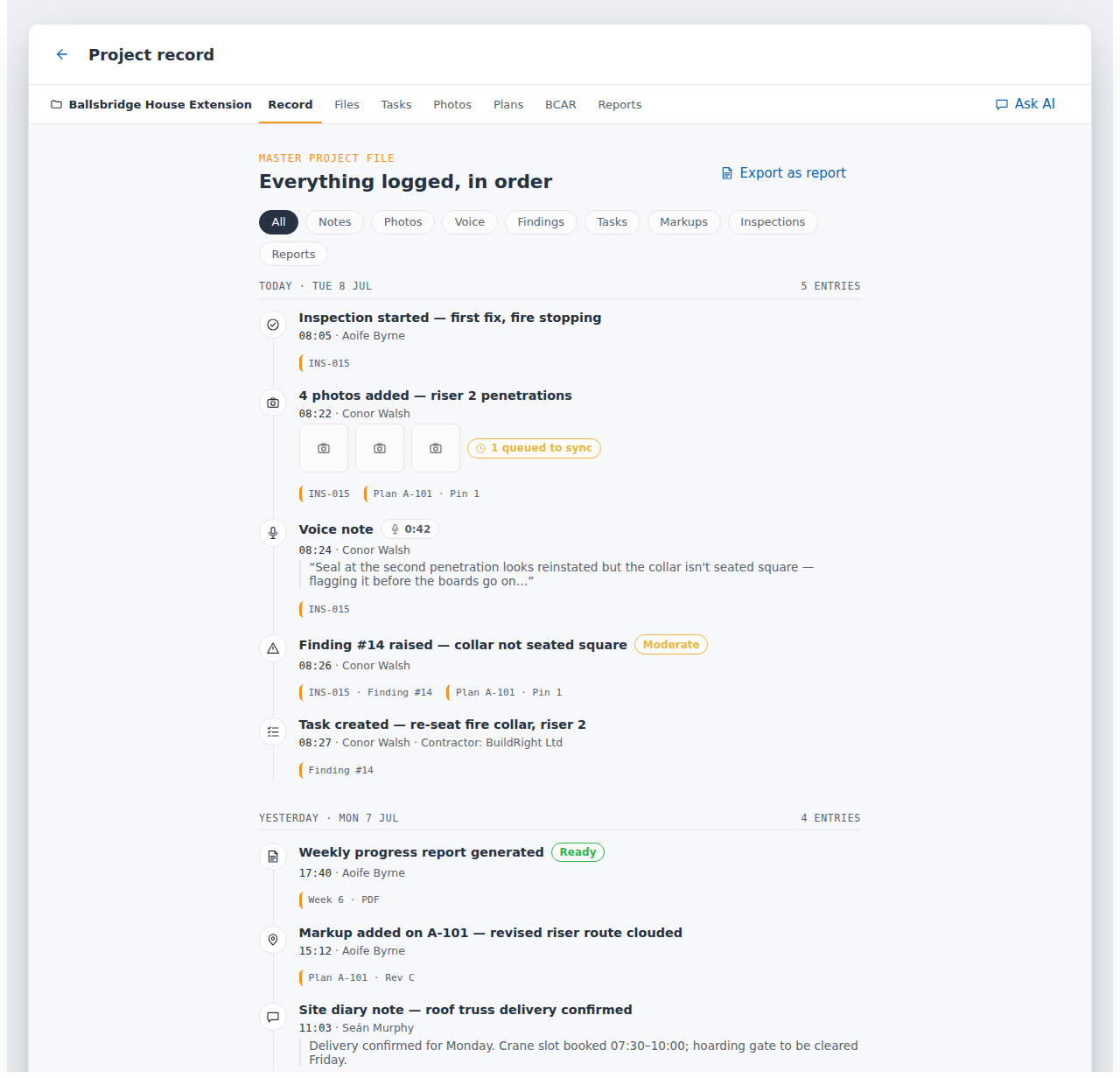
Inspections, photos, voice notes, findings, tasks, markups and reports in one timeline. This is the record that survives a dispute, and it exports in full at any time.
Entry types
| Entry | What it carries | Example from the record |
|---|---|---|
| Inspection | Type, stage, date, inspector, site | INS-015 · First fix, fire stopping · Aoife Byrne |
| Photo | Time, GPS, who, type (defect, progress, snag), pin on the drawing, linked finding | Riser 2 penetrations · Plan A-101 · Pin 1 |
| Voice note | Audio and transcript, timestamped, attributed | “Seal at the second penetration looks reinstated but the collar isn't seated square” · 0:42 |
| Site diary note | Typed text, attributed, timestamped | Roof truss delivery confirmed; crane slot 07:30 to 10:00 |
| Finding | Severity, status lifecycle, linked photos and pin | Finding #14 · collar not seated square · Moderate |
| Task | Owner, due date, contractor, linked finding | Re-seat fire collar, riser 2 · BuildRight Ltd · overdue 16 Jun |
| RFI | Question to the design team, linked location, status | RFI-009 · damp-proof course detail · waiting |
| Drawing markup | Pin or cloud on a named revision, attributed | A-101 Rev C · revised riser route clouded |
| Stage sign-off | Certifier, date, ancillary certificate PDF | Foundations · signed A. Byrne CEng · 28 Apr 2026 |
| Report | Template, sources cited, watermarked PDF | Weekly progress · week 6 · ready |
| Document | Specifications, standards, planning conditions, past reports | Searched by the assistant, cited in its answers |
Reports the record produces
Initial findings following the first site visit.
Site conditions, materials and test results.
One defect, finding or compliance item.
Attendance, observations and actions noted.
Structured stage inspection record.
The complete chronological record.
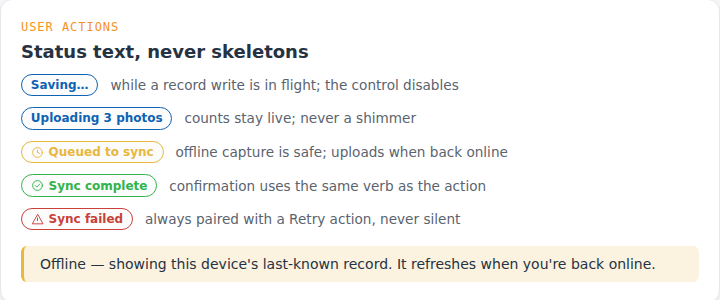
Capture never waits for signal. Each photo and note shows its own state: saving, queued, synced, or failed with a retry. Offline, the phone shows the last known record and says so. A failed upload is never silent.
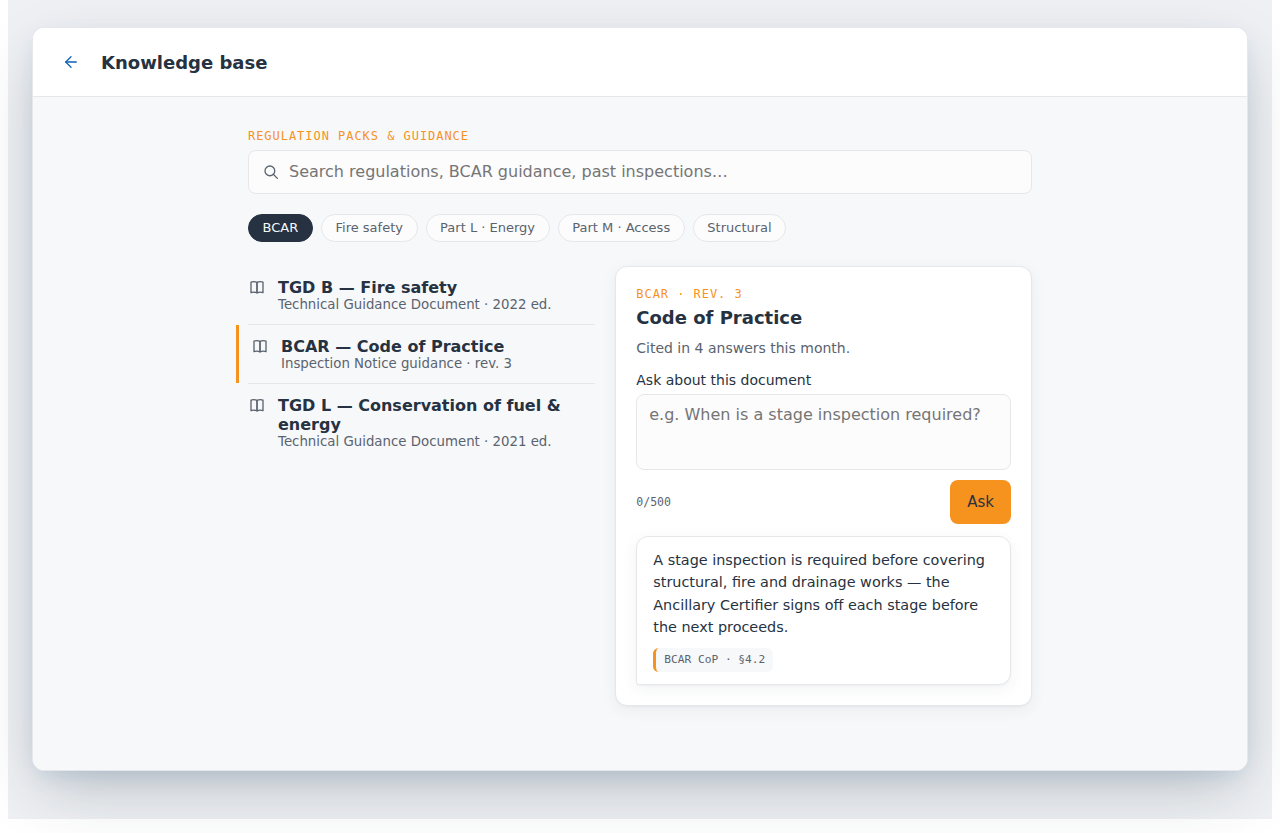
Your planning conditions, specifications, standards and past reports, uploaded once, plus the Irish regulation packs. Never shared with other organisations, never used to train models.
On the phone
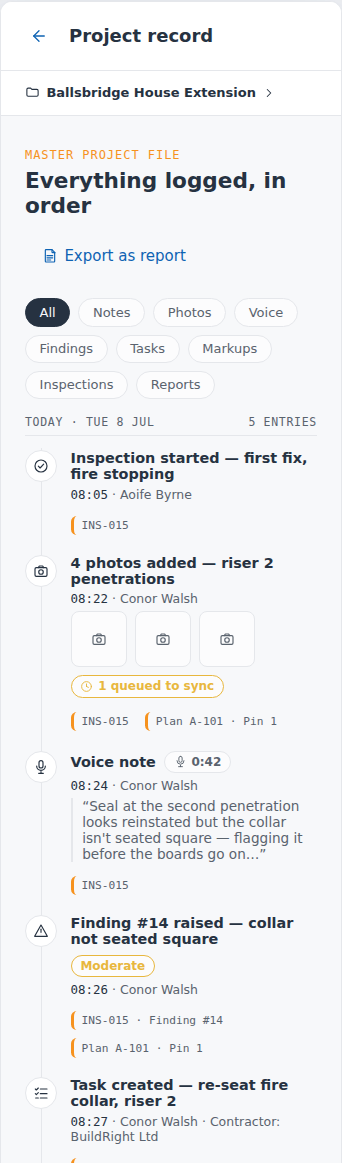
Every screen is designed at phone width first. Capture, pins and tasks work offline; the assistant needs signal. Tap any screen to open it in a phone and scroll through it.
The outcome we build for
Never be the engineer who has to say "I think…" when the client asks what happened.
Off site with the report issued. A file that answers "what happened here?" with "our records show", for as long as your name is on the job. When the builder is gone, the record is what is left.
The standard the product is built to, in the words we want said about you. Not customer quotes yet.
Five Founding Firm places, with applications opening in early 2027. Full detail in the roadmap. First, check the numbers.
Your numbers
Seven in ten Irish practices we surveyed spend two hours or more a week each on inspection write-up; four in ten spend five or more. Put your hours and rate in and see what those evenings cost, or what they would bill. The results are per engineer: multiply by the number of people who go to site.
| Per engineer | Rate | A month | A year |
|---|---|---|---|
| Hours on write-up | 2 h a week | 8 | 92 |
| What those hours cost you | €36.07 an hour | €277 | €3,319 |
| What those hours would bill | €80 an hour | €613 | €7,360 |
Enter your figures on the left to see the sentence for your practice.
An hour worked is one of 1,840 a year; the payslip pays for 2,080, so the loaded hour is about 1.50 times the payslip.
Trust, data and control
Built for professional use: you decide what issues. AI suggests and cites. The record cannot quietly change. Your data exports in full.
Control who can view, edit and issue on each project. Engineers, inspectors, contractors and clients get the access their role needs and no more.
Every capture, edit, markup, task change and report issue is logged with a timestamp and a user. The record cannot quietly change.
Project records, photos and voice notes are stored on EU servers in Ireland, and voice transcription runs on an EU endpoint. Only email passes through a US provider, under a data processing agreement. Never used to train AI. Built to meet GDPR and the Irish Data Protection Act.
Your documents and records are never shared with other customers and never used to train models. Each organisation's data is isolated.
Every AI output is marked as AI-assisted and cites its source. The assistant only answers about your projects and building regulations, and it cannot send, post or certify anything.
The full Master Project File exports at any time as a complete chronological record. No lock-in on the thing that matters most.
Roadmap
Built by a chartered civil engineer who has lived Irish consultancy and site reality, and designed around how inspections actually happen.
Capture, projects, inspections, findings, offline sync and the plan viewer are built. Next is the real-site offline test.
SiteNotePro runs on real inspections before any firm is invoiced.
From late February 2027, the Founding Firm shortlist sees it working on projects like theirs, and confirms a place only if it works for both sides.
After the founding cohort has been onboarded. The date follows the beta, so treat it as a target.
Next steps
Twelve questions, four bands, a tailored pack. The quickest way to see where the time is going today.
Five Founding Firms only. Applications open 18 January 2027. Register at sitenotepro.ie/founding.
If you want to talk through how this would work on your projects, or the pack leaves a question open, email us and we will arrange a call.
Waiting list. Nothing to book yet. Join the waiting list and we will contact you the moment the prototype is ready to show.